

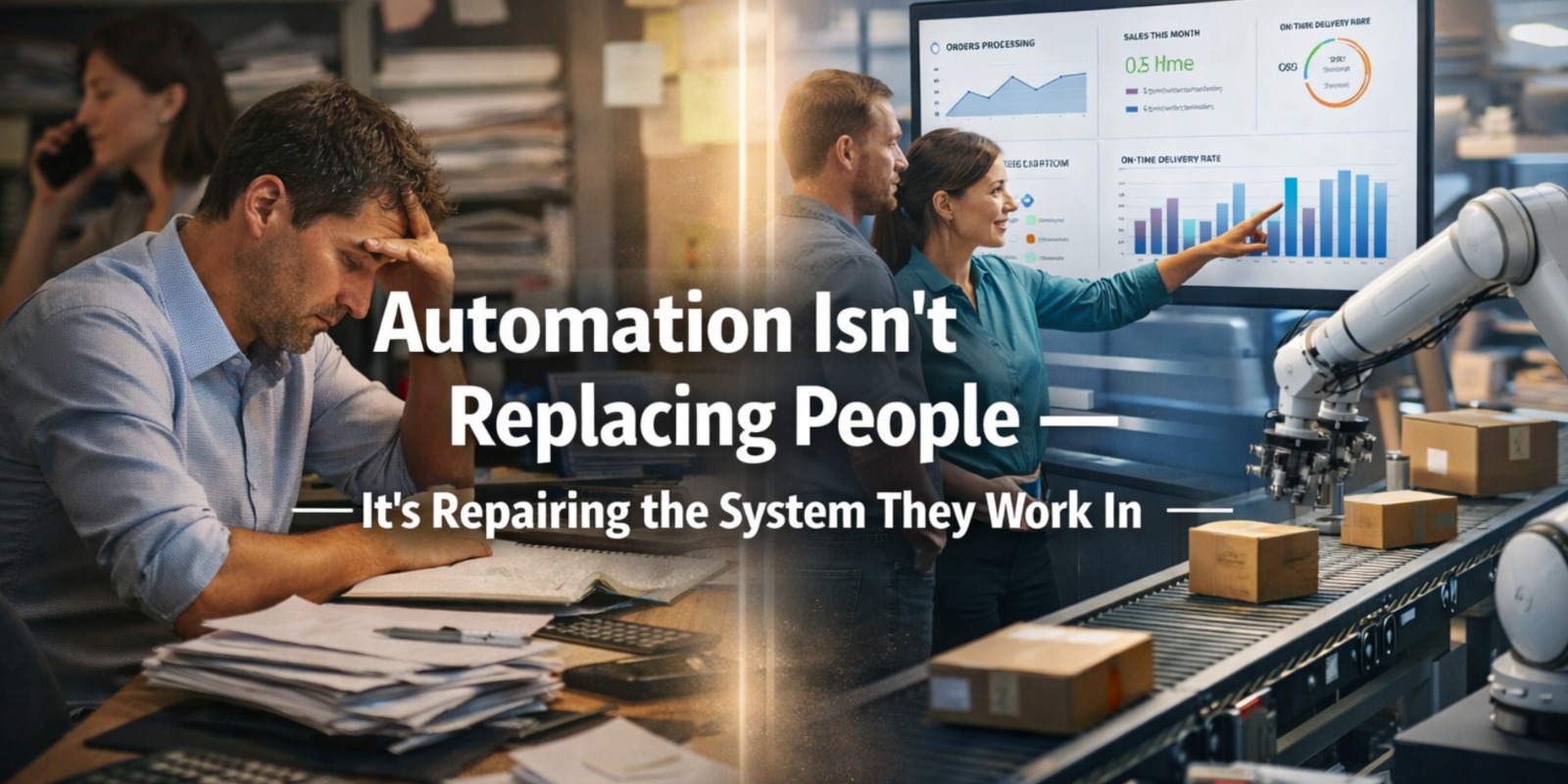
Why Smart Businesses Use Automation to Eliminate Chaos, Not Jobs
Table of Contents
For years, automation has been misunderstood as a threat to jobs. Headlines often frame it as a replacement for human effort, creating fear across teams and resistance within organizations. But in reality, automation is not designed to replace people—it is designed to fix the broken workflows that prevent people from doing meaningful work.
The real problem inside most businesses today is not a lack of talent or effort. It is inefficiency embedded in processes—manual handoffs, duplicated tasks, scattered data, and delayed decision-making.
Employees are not underperforming.
They are operating inside inefficient systems.
The Real Pain Point: Workflows That Drain Productivity
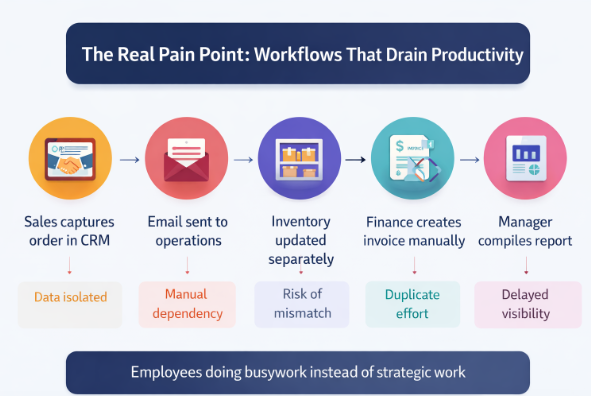
In many organizations, employees spend a significant portion of their time on repetitive, low-value tasks:
- Copying data between systems
- Manually updating spreadsheets
- Following up on approvals
- Reconciling mismatched records
- Generating reports from multiple sources
These tasks are not just time-consuming—they are mentally draining and error-prone.
The result?
Highly skilled employees end up doing operational busywork instead of strategic work.
What Broken Workflows Look Like
A typical business process in a non-automated environment often looks like this:
| Step | Process | Issue |
|---|---|---|
| 1 | Sales captures order in CRM | Data isolated |
| 2 | Email sent to operations | Manual dependency |
| 3 | Inventory updated separately | Risk of mismatch |
| 4 | Sales captures orders in CRM | Duplicate effort |
| 5 | Manager compiles report | Delayed visibility |
Each step introduces friction, delays, and the possibility of human error.
Over time, these inefficiencies compound and slow down the entire organization.
The Misconception About Automation
Many believe automation removes human involvement. In reality, it removes unnecessary manual intervention.
Automation does not eliminate roles—it redefines them.
| Misconception | Reality |
|---|---|
| Automation replaces employees | Automation supports employees |
| Jobs will disappear | Work will evolve |
| Less human involvement | More strategic involvement |
| Machines take over decisions | Humans make better decisions with data |
The goal of automation is not to reduce headcount—it is to increase human effectiveness.
The Solution: Intelligent Workflow Automation
Modern businesses are adopting workflow automation platforms that connect systems, eliminate manual steps, and enable seamless data flow across departments.
Instead of employees moving data between tools, systems communicate automatically.
Automated Workflow Example
| Step | Automated Process |
|---|---|
| Order placed | System records order automatically |
| Inventory check | Real-time stock validation |
| Invoice generation | Auto-created and shared |
| Payment tracking | Synced with financial system |
| Reporting | Updated instantly on dashboard |
No emails. No manual updates. No delays.
Real Business Case: Operations Team Transformation
A logistics company managing hundreds of daily shipments relied heavily on manual coordination between sales, warehouse, and finance teams.
Challenges included:
- Frequent data mismatches
- Delayed shipment updates
- Manual invoice creation
- Reporting delays of 2–3 days
After implementing workflow automation:
| Metric | Before Automation | After Automation |
|---|---|---|
| Order Processing Time | 2 hours | 15 minutes |
| Data Errors | High | Minimal |
| Reporting Time | 2–3 days | Real-time |
| Employee Workload | Overloaded | Optimized |
Employees were not removed—they were freed from repetitive tasks and reassigned to higher-value activities like customer experience and operational planning.
Where Automation Creates the Most Impact
Automation delivers maximum value in areas where processes are repetitive, rule-based, and data-driven.
| Department | Automation Impact |
|---|---|
| Sales | Faster order processing |
| Finance | Automated invoicing and reconciliation |
| HR | Streamlined onboarding and payroll |
| Operations | Real-time tracking and coordination |
| Customer Support | Faster response times |
By automating these workflows, businesses eliminate operational bottlenecks.
Human + Automation = Scalable Growth
The most successful organizations do not choose between people and automation. They combine both strategically.
Comparison: Manual vs Automated Work Environment
| Factor | Manual Workflow | Automated Workflow |
|---|---|---|
| Speed | Slow | Fast |
| Accuracy | Error-prone | Reliable |
| Employee Focus | Repetitive tasks | Strategic work |
| Decision-Making | Delayed | Real-time |
| Scalability | Limited | High |
Automation enhances human capability rather than replacing it.
The Strategic Shift: From Effort to Efficiency
One of the biggest mindset changes businesses must adopt is moving from effort-driven operations to efficiency-driven systems.
Instead of asking:
“Are our teams working hard enough?”
Leaders should ask:
“Are our systems enabling them to work effectively?”
This shift changes how businesses scale.
Signs Your Business Needs Workflow Automation
If your organization experiences any of the following, automation can create immediate value:
- Teams rely heavily on spreadsheets
- Data is manually transferred between systems
- Processes depend on emails and approvals
- Reports take hours or days to generate
- Errors occur frequently in operations
These are indicators of broken workflows—not underperforming employees.
Final Thoughts
Automation is not about replacing people. It is about removing the inefficiencies that hold them back.
When workflows are optimized:
- Employees focus on meaningful work
- Decisions are made faster
- Errors are reduced
- Growth becomes scalable
Organizations that embrace automation gain a significant competitive advantage. They operate faster, smarter, and with greater clarity.
Those that resist it continue to struggle—not because their teams are weak, but because their systems are outdated.
The future of business is not human vs machine.
It is human potential amplified by intelligent systems.
The question is not whether automation will replace your team.
It is whether your workflows are ready to support them.




Post Comment