

Table of Contents
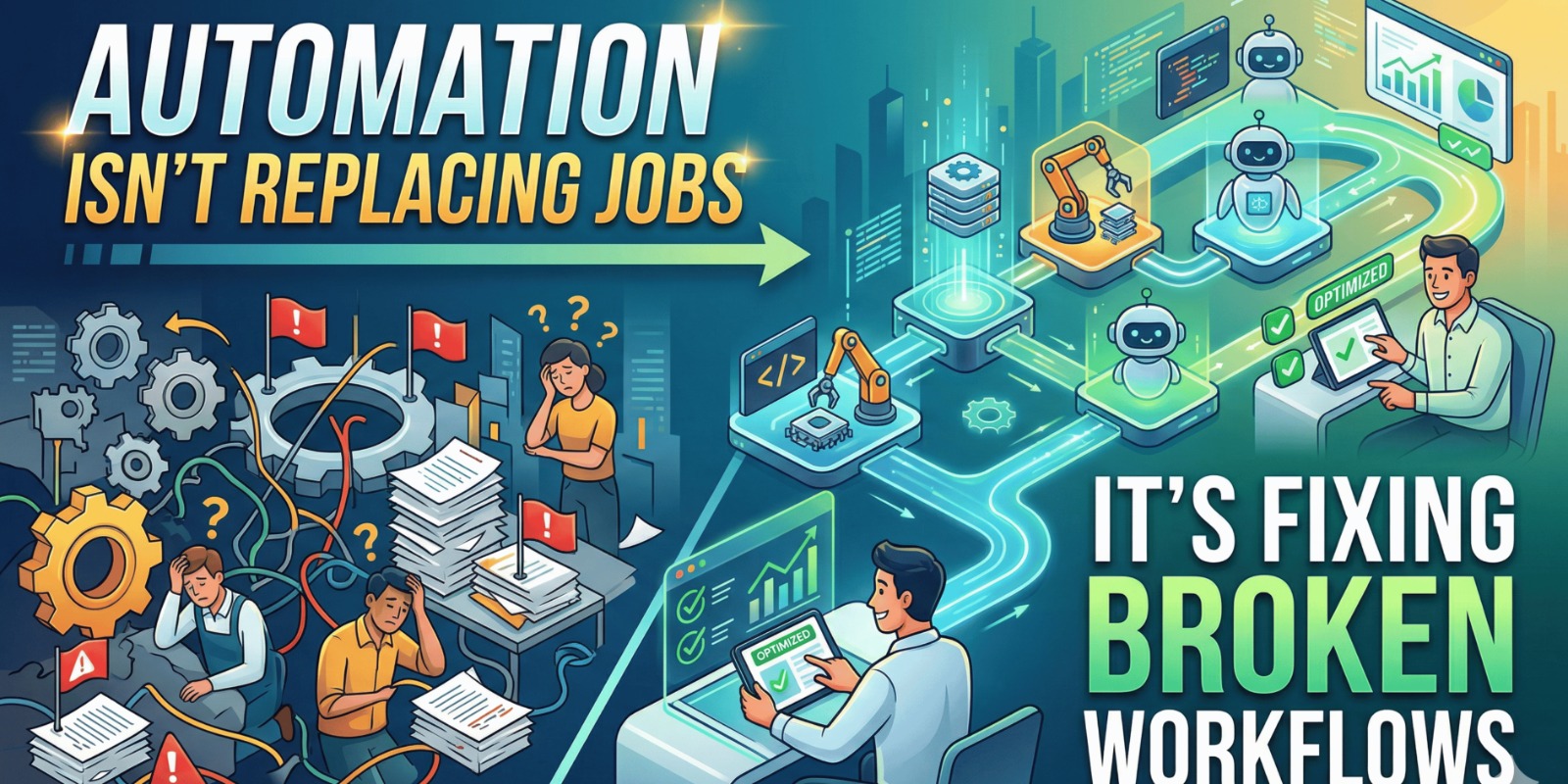
Automation is often misunderstood. Many business leaders worry that automation will replace employees, reduce team size, or remove the human element from operations. But in reality, automation is not about replacing jobs — it’s about fixing broken workflows. Across the UAE, small to large businesses are adopting automation to remove repetitive tasks, reduce errors, and allow teams to focus on higher-value work.
In most organizations, employees spend a large portion of their time on manual activities. Updating spreadsheets, copying data between systems, sending approval emails, tracking follow-ups, generating reports, and coordinating between departments. These tasks are necessary, but they don’t create strategic value. They slow down operations and increase operational costs. Automation helps eliminate these inefficiencies without removing the human role.
The Real Problem: Broken Workflows, Not Workforce
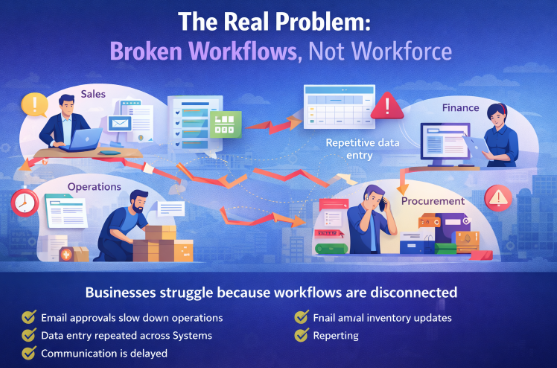
Businesses don’t struggle because employees aren’t working hard. They struggle because workflows are fragmented. Sales sends orders manually to operations. Finance manually verifies invoices. Procurement follows up through email. Management waits for reports. Each step depends on manual intervention.
Common workflow gaps include:
- Manual approvals are slowing down operations
- Data entry repeated across multiple systems
- Delayed communication between departments
- Missing follow-ups and lost leads
- Inventory updates are done manually
- Reports created at the end of the week
- Finance reconciliation done manually
These broken workflows create delays, not employees.
Automation fixes these process gaps.
What Automation Really Means in Business Operations
Automation does not eliminate decision-making. It automates repetitive steps. Employees still review, approve, analyze, and manage exceptions. Automation simply handles routine workflows.
For example:
When a sales order is confirmed:
- Stock is automatically checked
- Invoice is generated automatically
- Delivery is scheduled automatically
- Finance is updated automatically
- Management dashboard updates instantly
The team still monitors the process, but no one manually pushes data.
This is workflow automation, not job replacement.
Why UAE Businesses Are Adopting Automation
Businesses in the UAE operate in fast-paced environments with high transaction volumes. Trading companies manage multiple suppliers. Retail businesses handle multi-branch inventory. Manufacturing companies coordinate production and procurement. Service companies manage projects and billing cycles.
Manual workflows cannot scale in such environments.
Automation helps UAE businesses:
- Process orders faster
- Reduce operational errors
- Improve customer response time
- Eliminate manual coordination
- Increase team productivity
- Improve visibility across departments
This enables growth without increasing headcount.
Manual Process vs Automated Workflow
| Process Area | Manual Workflow | Automated Workflow |
|---|---|---|
| Sales Order | Email to operations | Auto workflow trigger |
| Inventory Check | Manual verification | Real-time validation |
| Invoice Creation | Finance entry | Auto-generated invoice |
| Approval | Email follow-ups | Workflow approval |
| Reporting | Weekly manual reports | Real-time dashboards |
| Follow-ups | Manual reminders | Automated notifications |
Automation removes friction between departments.
Real UAE Business Scenario: Trading Company
Consider a UAE trading company managing multiple product categories. Before automation, their order processing looked like this:
Sales receives order
Sales sends email to warehouse
Warehouse checks stock manually
Finance creates invoice manually
Dispatch scheduled separately
Management receives weekly report
This caused delays and errors.
After workflow automation:
Sales order entered in system
Stock automatically validated
Invoice generated automatically
Delivery scheduled automatically
Customer notified automatically
Dashboard updated in real time
Result:
- Faster order processing
- Reduced manual work
- Improved customer satisfaction
- Fewer operational errors
- Better team productivity
Employees were not replaced — they became more efficient.
What Tasks Should Be Automated
Automation is best suited for repetitive and rule-based workflows such as:
Sales automation
- Lead assignment
- Follow-up reminders
- Quote generation
Operations automation
- Order routing
- Dispatch scheduling
- Delivery tracking
Finance automation
- Invoice generation
- Payment reminders
- Reconciliation workflows
Inventory automation
- Stock alerts
- Auto replenishment
- Multi-warehouse tracking
HR automation
- Leave approvals
- Onboarding workflows
- Attendance tracking
These automations support employees rather than replace them.
Benefits of Workflow Automation
1. Employees Focus on High-Value Work
Teams spend less time on admin tasks and more on strategy.
2. Faster Operations
Automated workflows remove delays between departments.
3. Reduced Human Errors
Automation eliminates manual data entry mistakes.
4. Better Customer Experience
Orders, invoices, and responses are faster.
5. Improved Visibility
Management sees real-time workflow status.
6. Scalable Business Growth
Companies grow without increasing operational complexity.
Signs Your Workflows Need Automation
Your business may need automation if:
- Employees repeat the same tasks daily
- Approvals happen via email
- Data is copied between systems
- Reports are created manually
- Follow-ups are missed
- Orders are delayed
- Teams rely heavily on Excel
These are indicators of broken workflows.
Automation solves these problems.
Human + Automation = Smart Operations
The most successful businesses do not replace people. They combine human intelligence with automation. Employees handle decision-making, customer relationships, and strategy. Automation handles repetitive tasks, data movement, and notifications.
This creates a balanced and efficient operating model.
From:
Manual work
Delayed approvals
Data confusion
Disconnected departments
To:
Automated workflows
Faster decisions
Connected operations
Productive teams
The Future of Workflows in UAE Businesses
Automation is becoming essential for companies scaling in the UAE. Organizations that automate workflows gain speed, accuracy, and efficiency. Those relying on manual processes struggle to scale.
Automation is not about reducing teams. It’s about removing operational friction. When workflows are smooth, employees perform better, customers receive faster service, and leadership gains better control.
Final Thoughts
Automation isn’t replacing jobs — it’s fixing broken workflows. Businesses that adopt automation empower their teams, improve efficiency, and create scalable operations. Employees move from repetitive work to meaningful contributions.
When workflows are automated:
Teams collaborate better
Processes move faster
Errors reduce
Customers are happier
Businesses scale confidently
Automation doesn’t replace people.
It helps them do their best work.






Post Comment